Test Your Workflows Before They Go Live
Building a workflow often involves a bit of trial and error.
You tweak a form. Adjust some logic. Add a new step. Then comes the question:
“Does this actually work the way I expect?”
Now you can find out before publishing, with a new way to test your workflow directly in Flowingly’s modeler.
What’s new
We’ve introduced workflow testing, a new feature that lets you run through your workflows before pushing them live.
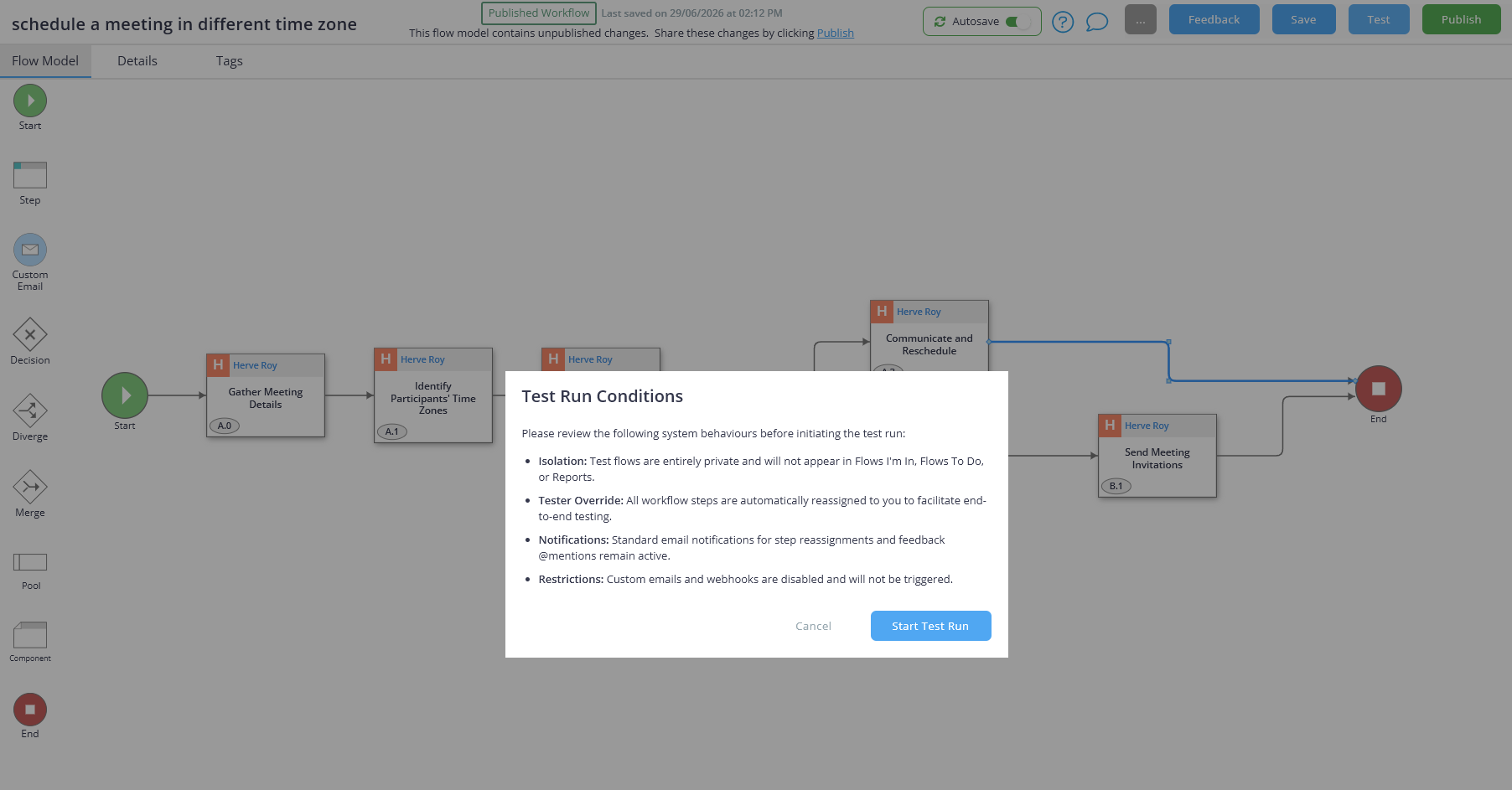
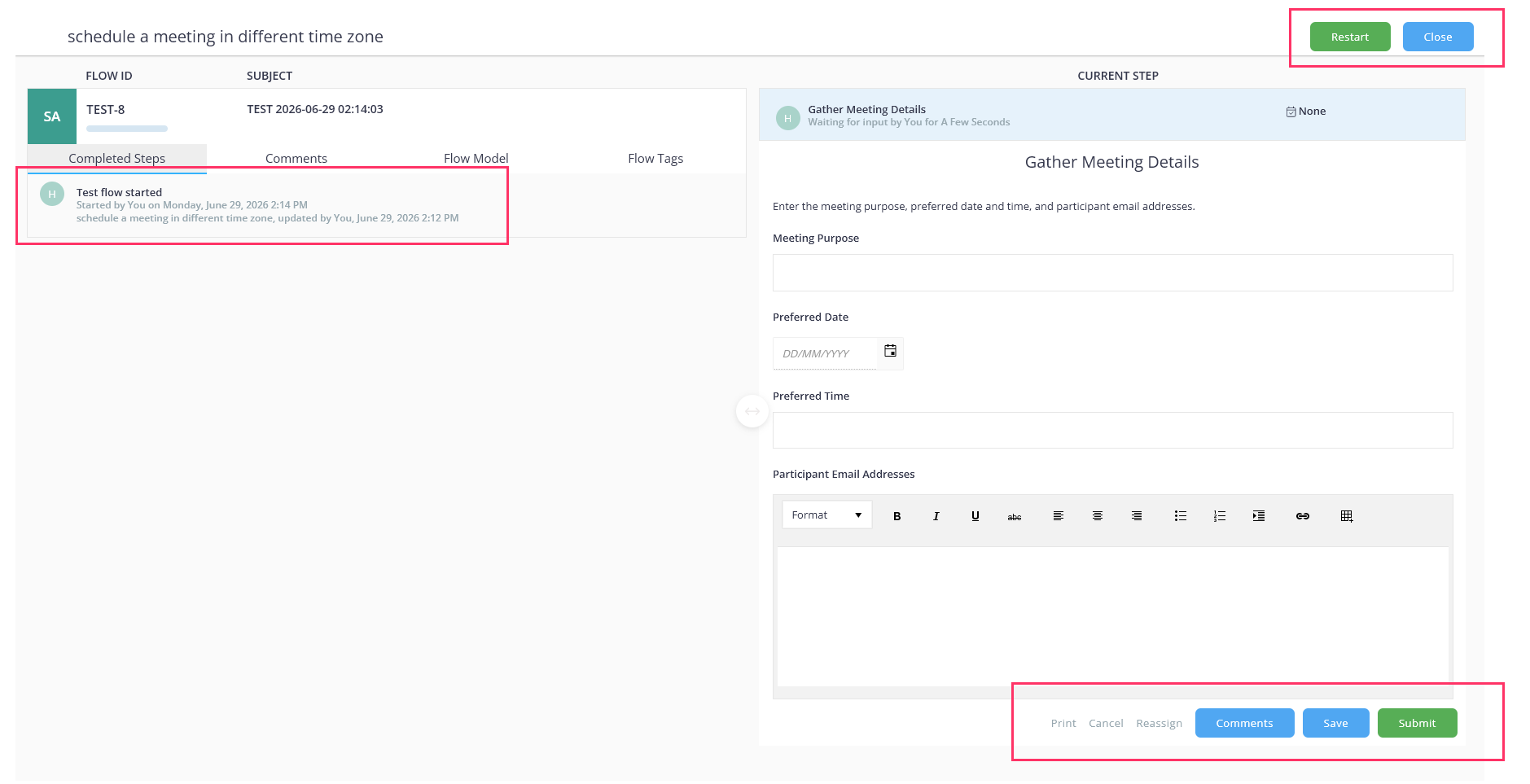
While editing a workflow in modeler, simply click test to launch an interactive version of your process in a separate browser tab.
You can:
- Complete steps as an end user would
- Test conditional logic and routing
- Check assignments and workflow behaviour
- Restart and run through the process again
- Validate changes before publishing
Testing happens separately from your published workflow, so you can experiment safely without affecting your live process.
Why it matters
Making workflow changes should feel confident, not risky.
Whether you’re building something new or updating an existing process, it’s helpful to see exactly how everything behaves before releasing it to your team.
Instead of creating temporary “test” workflows or duplicate copies just to check your changes, you can now test safely within Modeler. It’s also a great way to build and refine workflows ahead of rolling Flowingly out to your wider organisation or for training end users on how to complete workflows.
How it helps
- See exactly what your users will experience
- Verify forms, layouts, and workflow logic
- Test routing and conditional paths before publishing
- Catch issues earlier and reduce rework
- Build and update workflows with greater confidence
How to get started
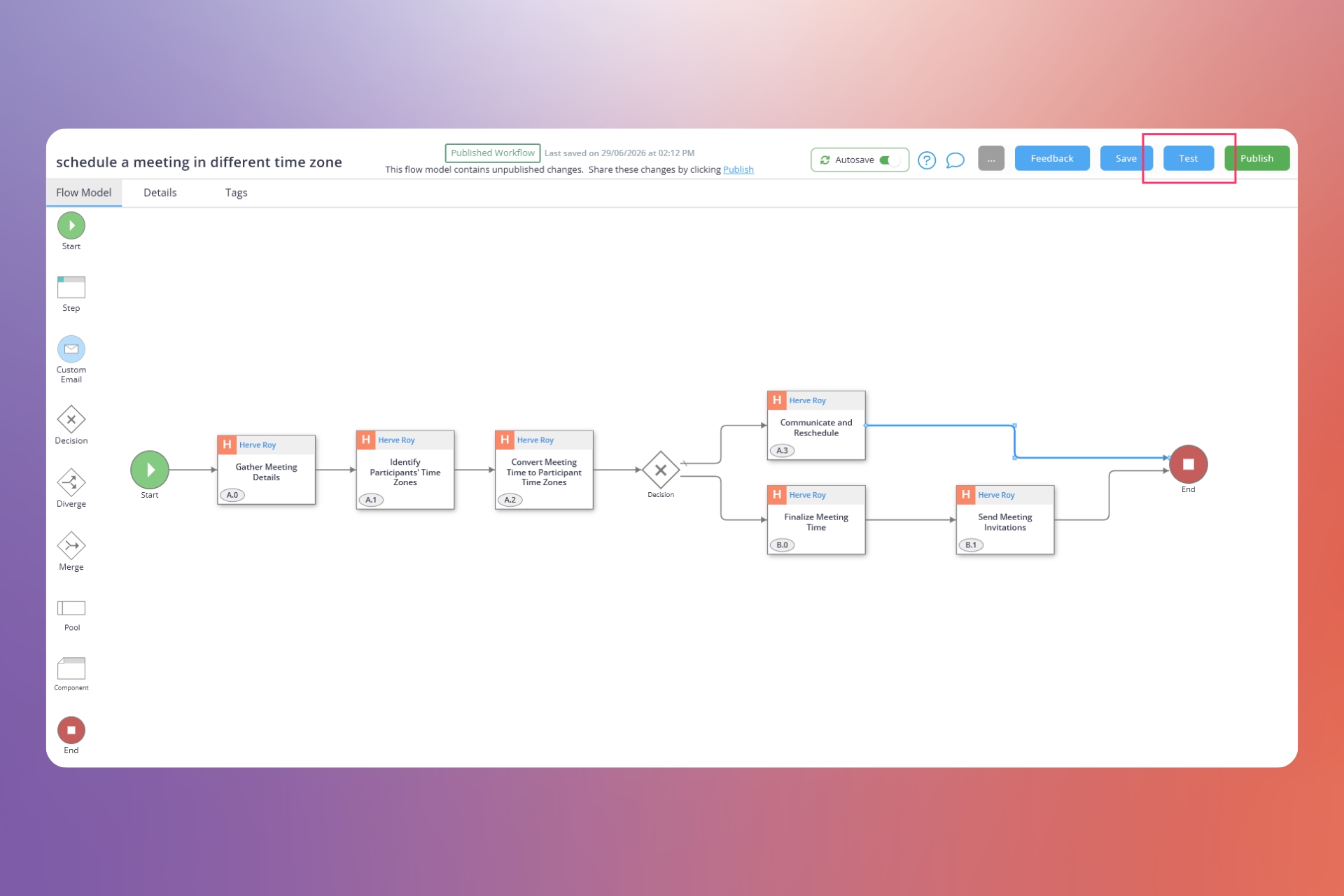
- Open a workflow draft in modeler.
- Click test in the top-right corner.
- Step through the workflow and complete forms as a user would.
- Verify logic, routing, and workflow behaviour.
- Make any updates needed and test again.
Ready to take your workflow for a test drive? Open a workflow draft and click test to see your process in action before it goes live.