
SOPs that write themselves as you work.
Screenshot. Paste into Word. Format by hand. Watch it go stale in a week. SOP Pro skips all of that.
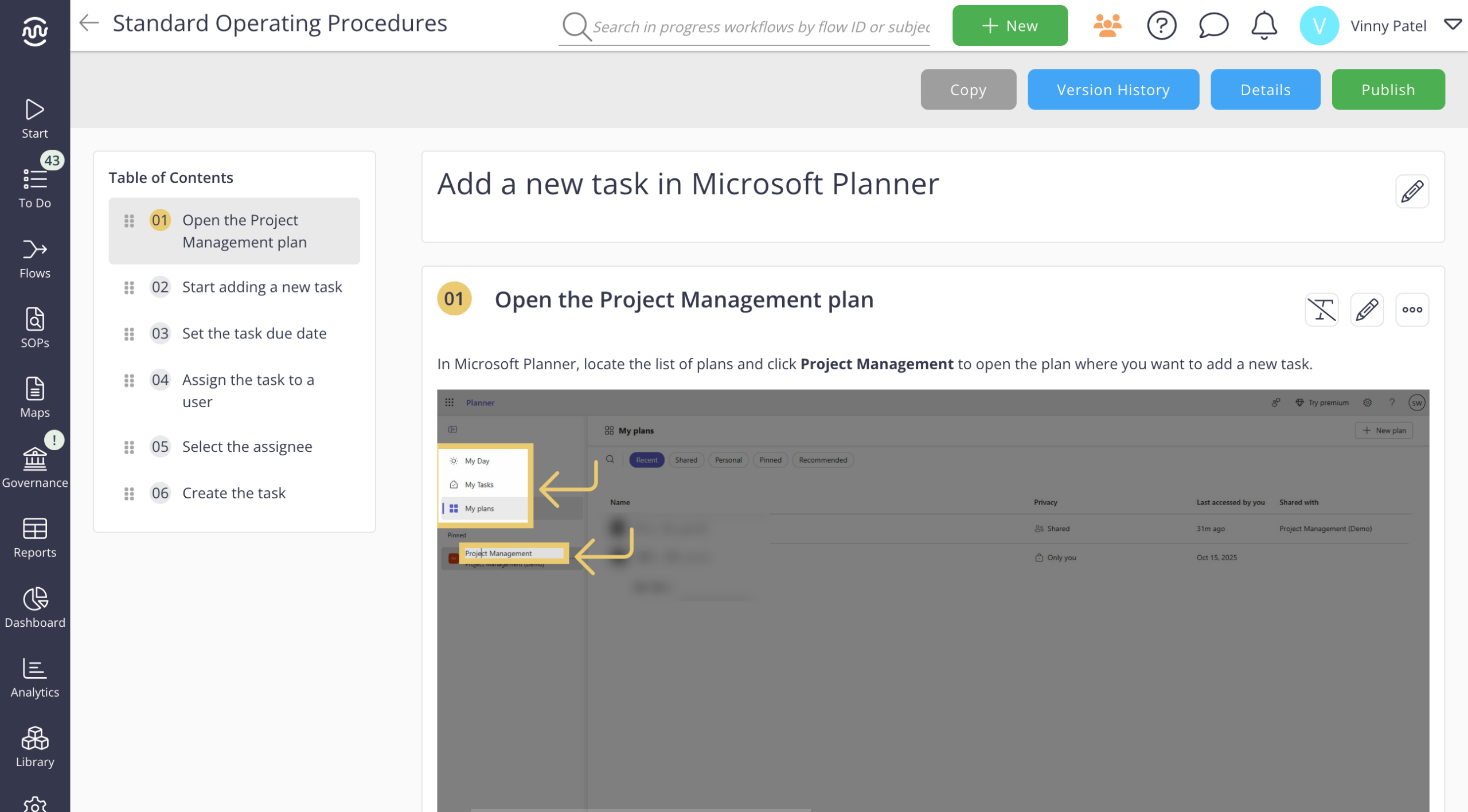
Hit record - SOP Pro captures your screen and desktop and turns it into a governed SOP automatically.
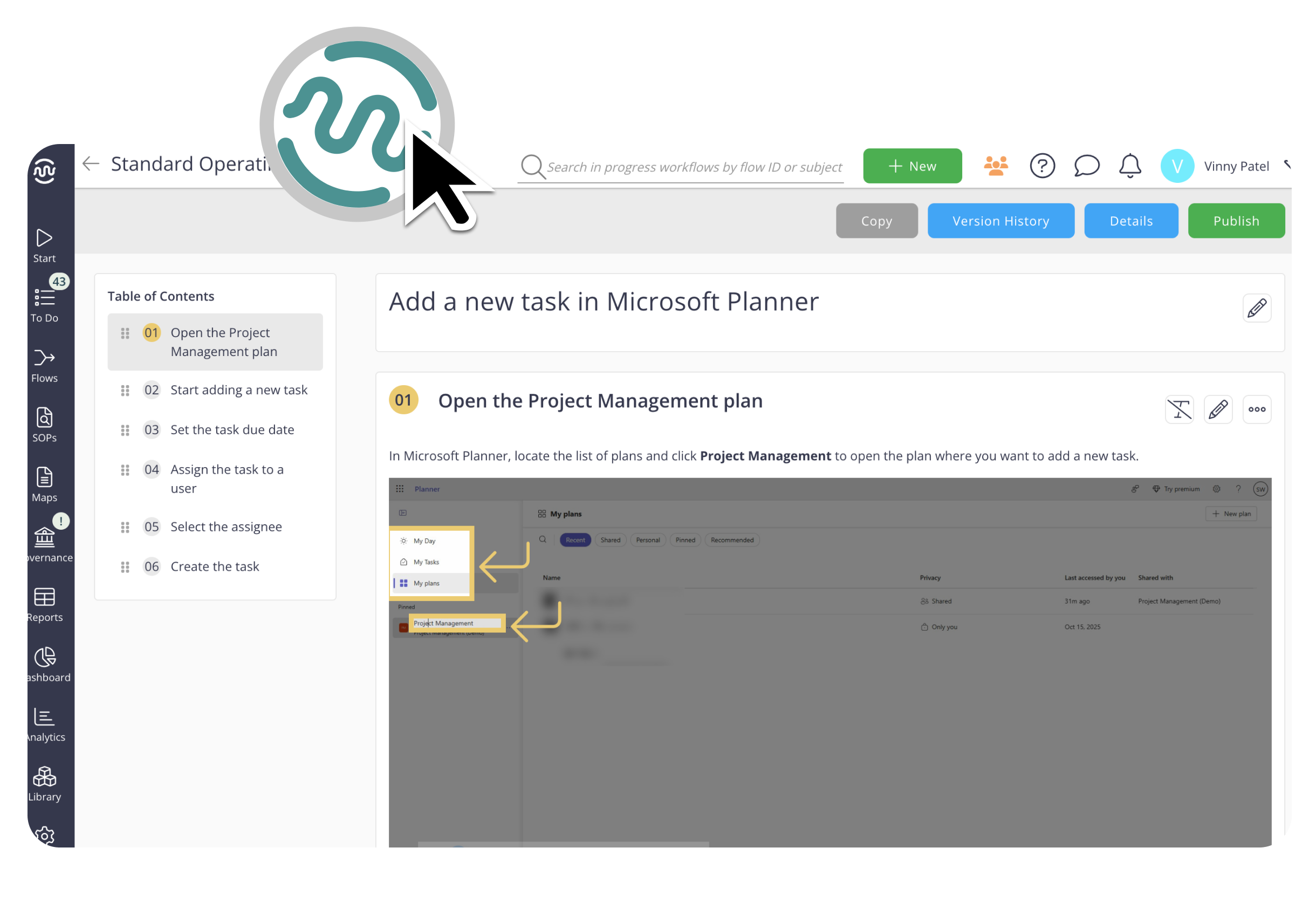









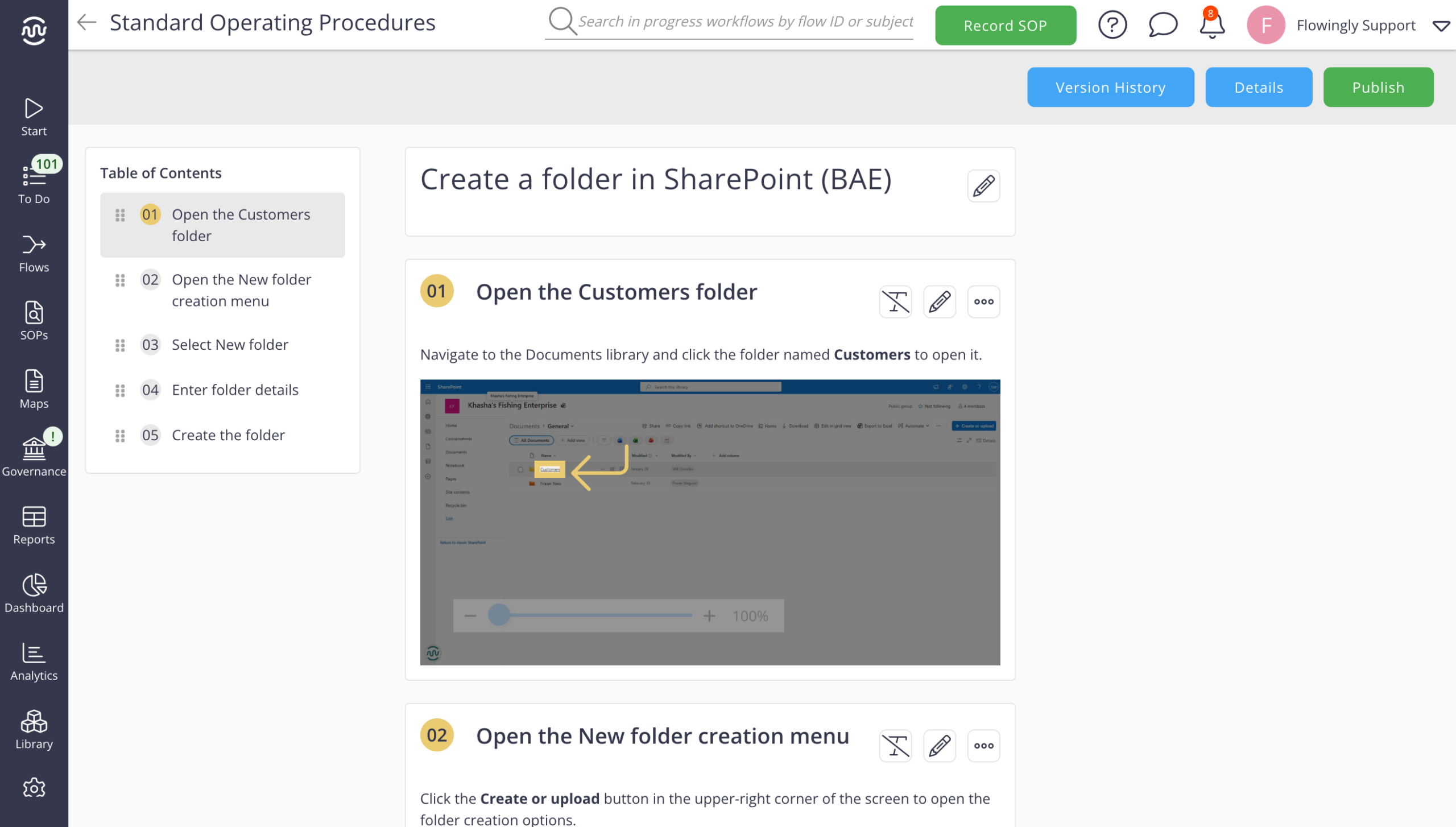
Capture the work.
Generate the SOP.
Record how you work once and turn it into structured, reusable documentation your team can actually use.
Record live from your browser, your screen, or upload an existing video — AI pulls out the steps and turns them into a structured SOP. No stopping to write instructions as you go.
Flowingly turns the recording into a clear, step-by-step SOP automatically — screenshots, steps, and descriptions generated for you. Review and redact before it's published.
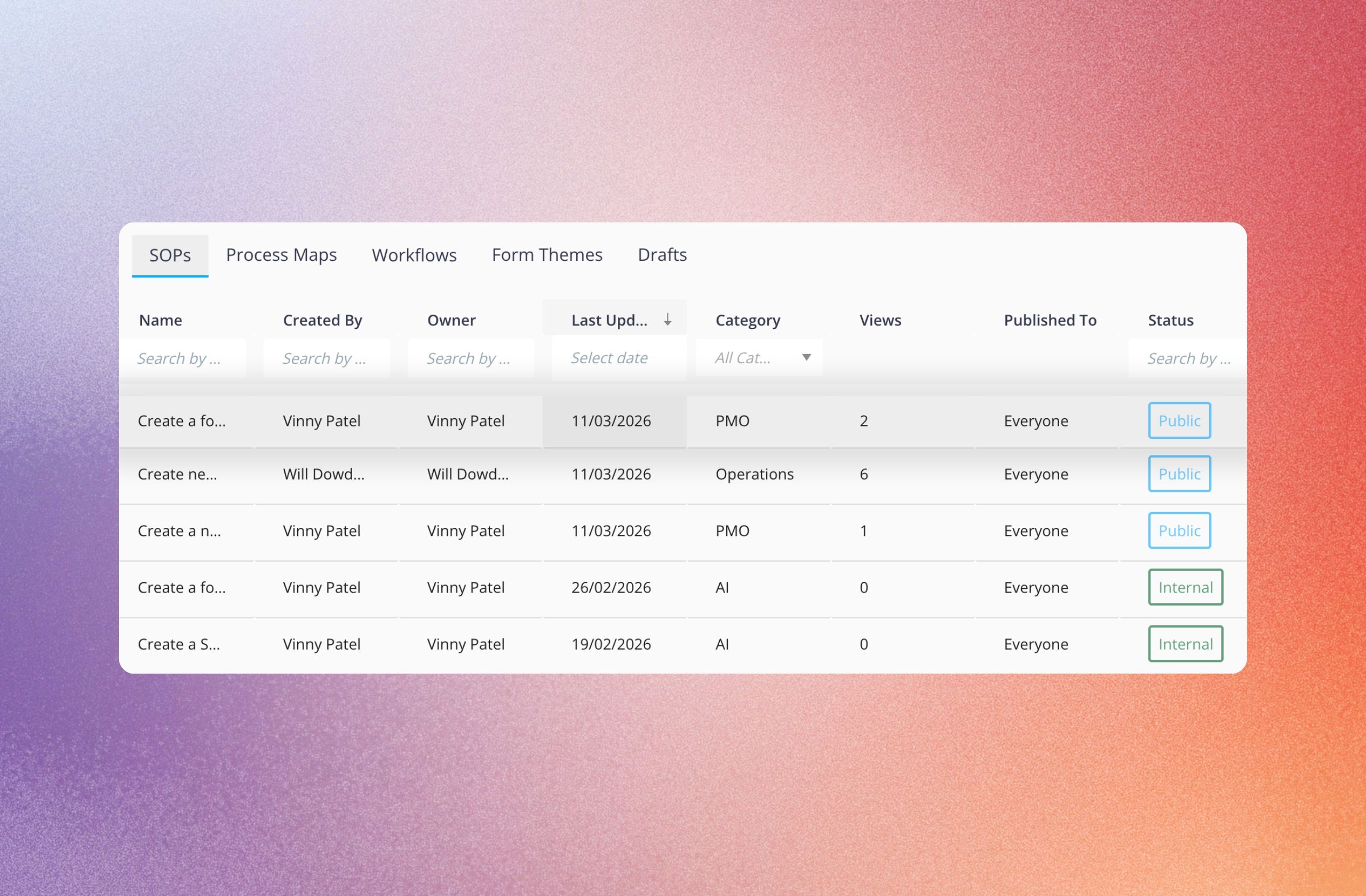
Every SOP is version-controlled, standardised, and auditable — one searchable workspace instead of scattered files and folders.
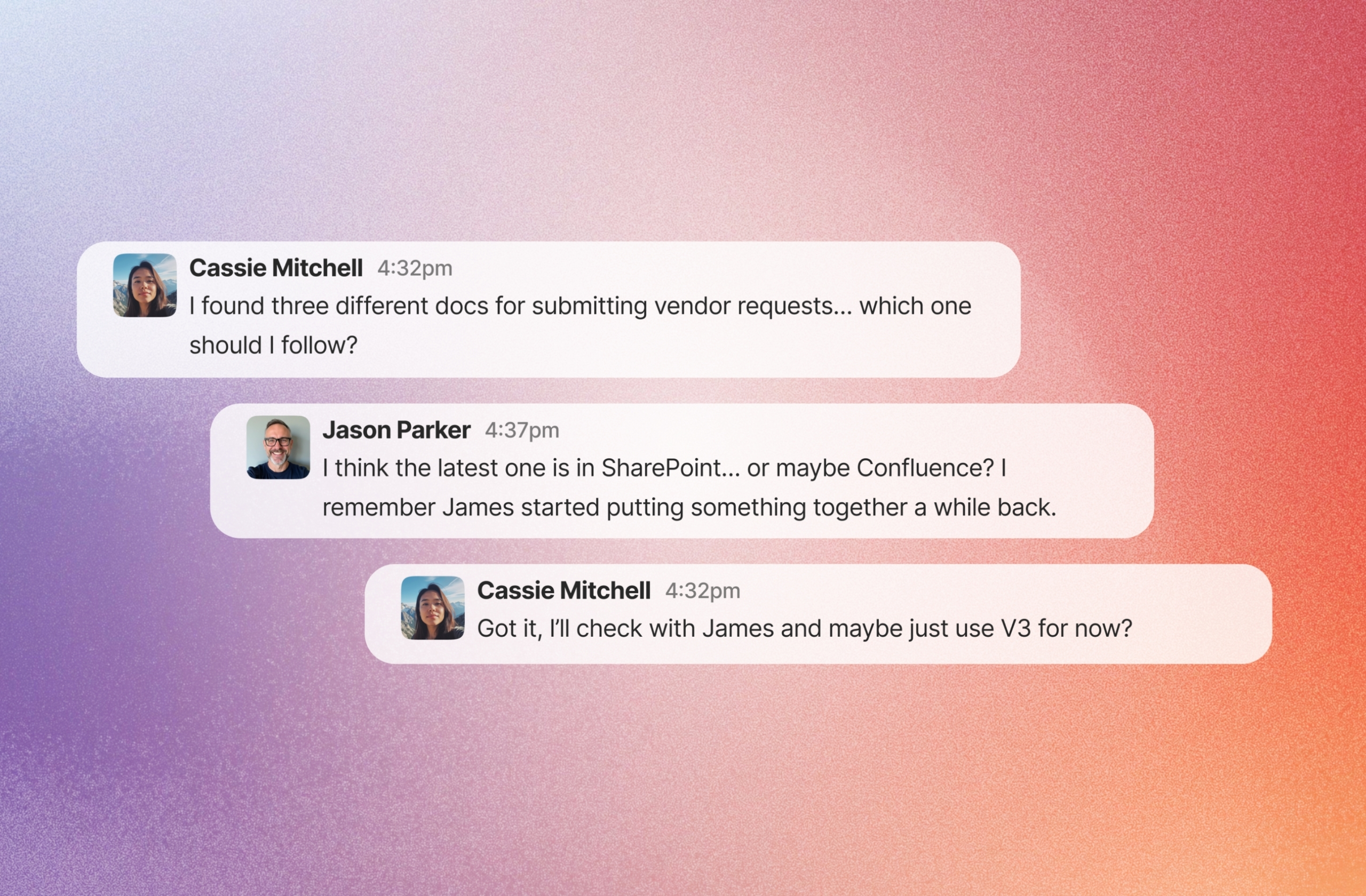
New starters follow the current, approved version — never an outdated copy someone saved locally. Fewer repeat "how do we do this?" questions.
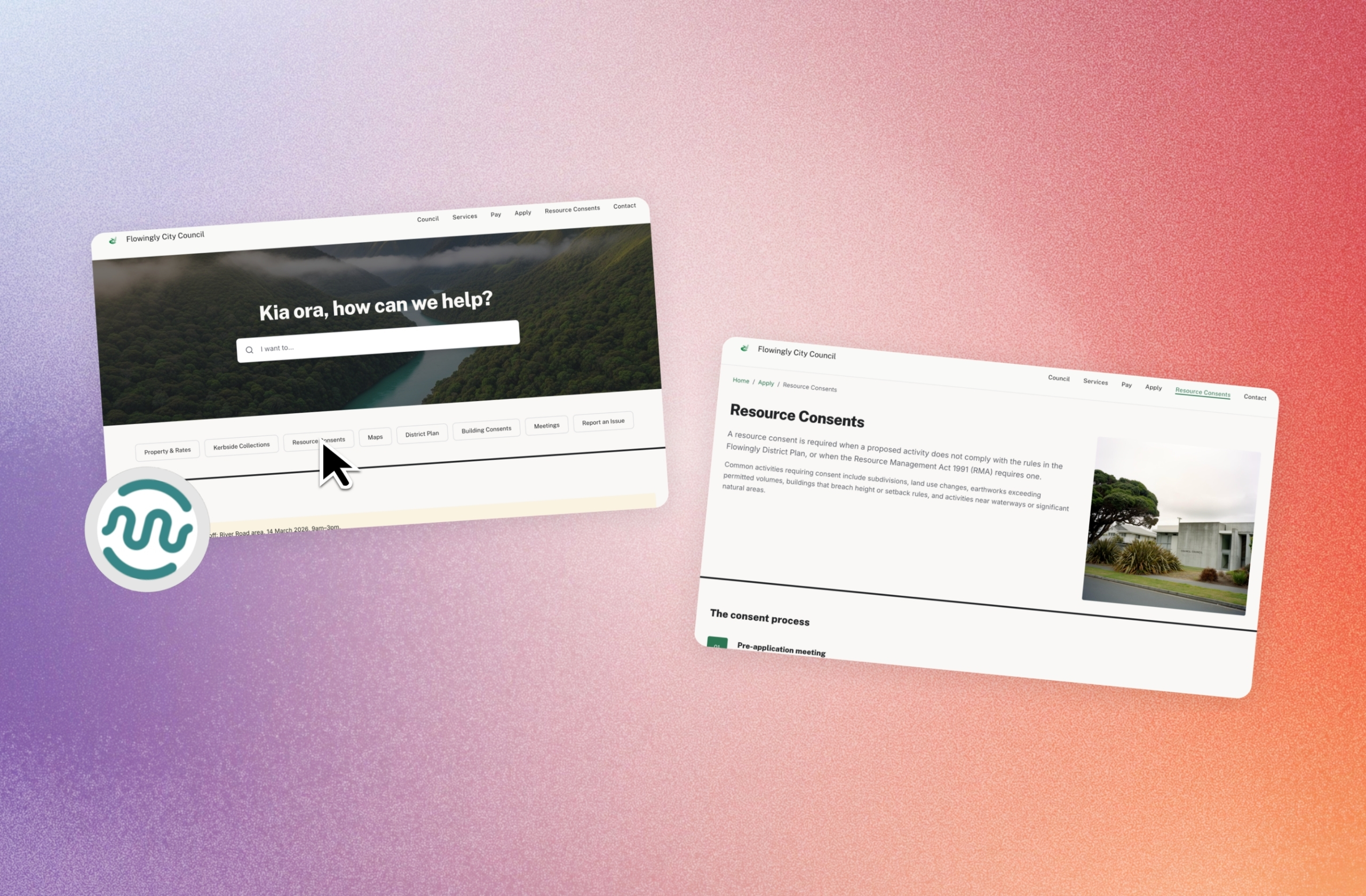
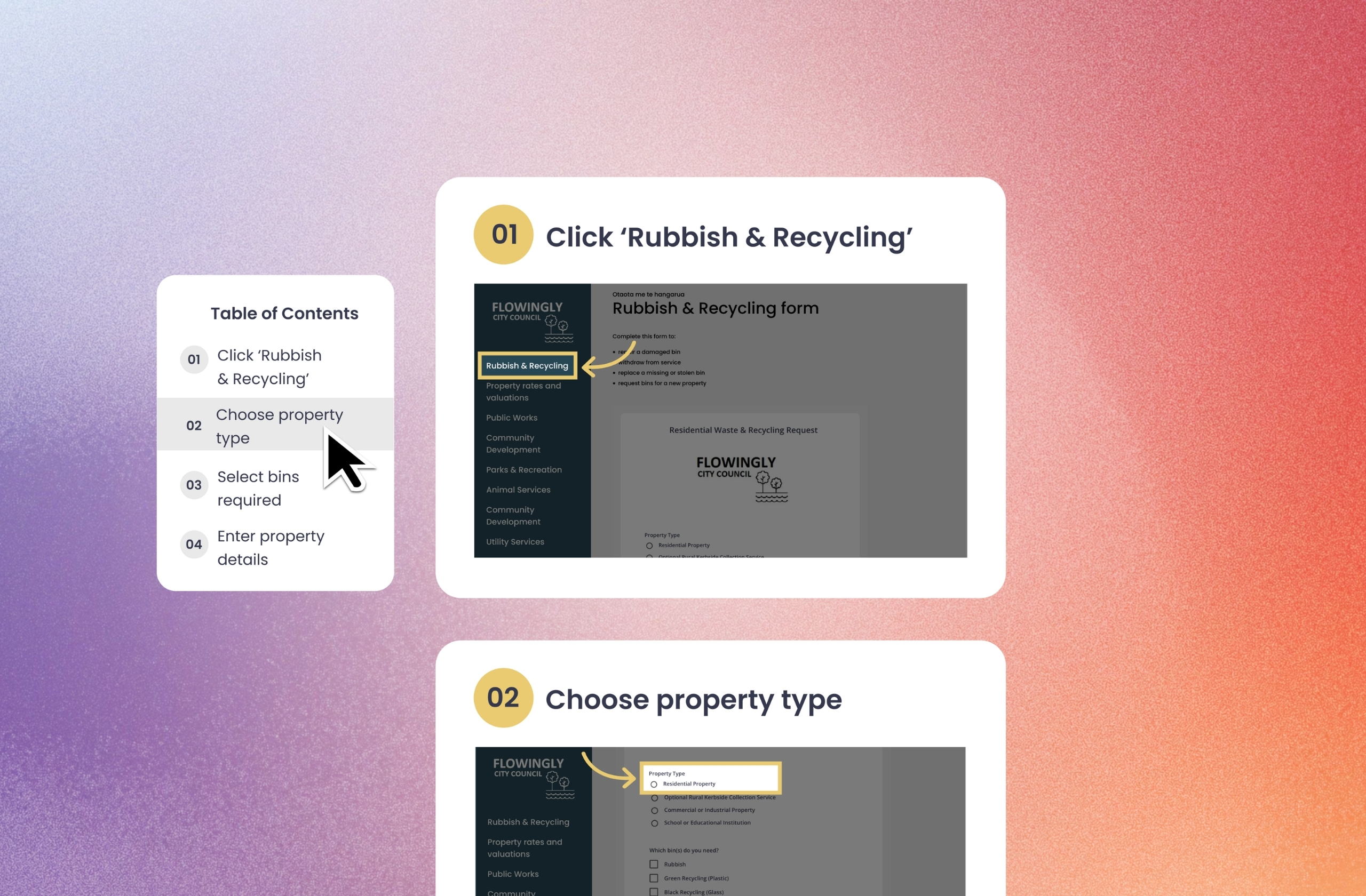
Stop documenting the work.
Start capturing it.
Creation Hub captures the work as it happens — live, on screen, or from a recording you've already got — and turns it into a governed SOP automatically.
Capture live
The browser recorder captures every click as you work.
AI-assistedRecord your screen
Hit record, do the task, AI does the write-up.
AI-assistedGenerate from video
Already got a walkthrough or training video? Upload it.
AI-assistedBuild from scratch
Write it step by step, no recording required.
Governed SOP
Standardised, searchable, version-controlled — every time, whichever way it came in.
Why Flowingly over Scribe?
Your organisation needs more than quick SOP creation. Flowingly connects SOPs to the process maps and workflows behind the work - with your process knowledge kept in-region.
Creating the SOP is just the start.
Flowingly connects captured knowledge to the processes, improvements and workflows behind the work - turning documentation into something your organisation can use, govern and improve.
We never signed up to Scribe because of the data privacy. It's been a sticking point for me and I have been wondering how to solve that problem. So for us it's all part of the same contract. Council doesn't balk at it. IT are happy with it. Easy.
 Jemma Dillon
Glenelg Shire Council
Jemma Dillon
Glenelg Shire Council
Documentation that keeps up with your systems
Capture how your team works today, then update it just as easily tomorrow when your systems or processes change.
Software changes constantly. Most documentation doesn't.
Cloud ERP keeps updating. Documentation written at go-live can be wrong by month two. SOP Pro captures how your team actually uses the system. And when the system changes, your SOPs can be updated in minutes. No outdated manuals. No vendor binders.
Why go with Flowingly SOP Pro?
Everything you need to capture organisational knowledge at scale - with the governance, security and control large organisations need.
Governed at an organisational level
Every SOP is centrally stored, standardised, and auditable across the business — not a file in a folder.
Hosted locally in Australia
Built for the security and data sovereignty needs of large organisations and government.
Integrated into the Flowingly ecosystem
SOPs, process maps, and workflows all live together in one governed platform.
Keep knowledge in the business
Capture critical know-how so it doesn't walk out the door when people leave.
How teams are capturing and scaling their processes
Real organisations using Flowingly to reduce admin, standardise work, and move faster.


Migrating from Promapp and retiring 62% of unused processes
Read case study

Beating a year of Promapp adoption in four weeks
Read case study

Supporting rapid growth with automated accounting workflows
Read case study

Cutting LGOIMA response times by 40%
Read case study

Accelerating process mapping after replacing Promapp
Read case study

Saving 80+ weeks of admin every year
Read case study