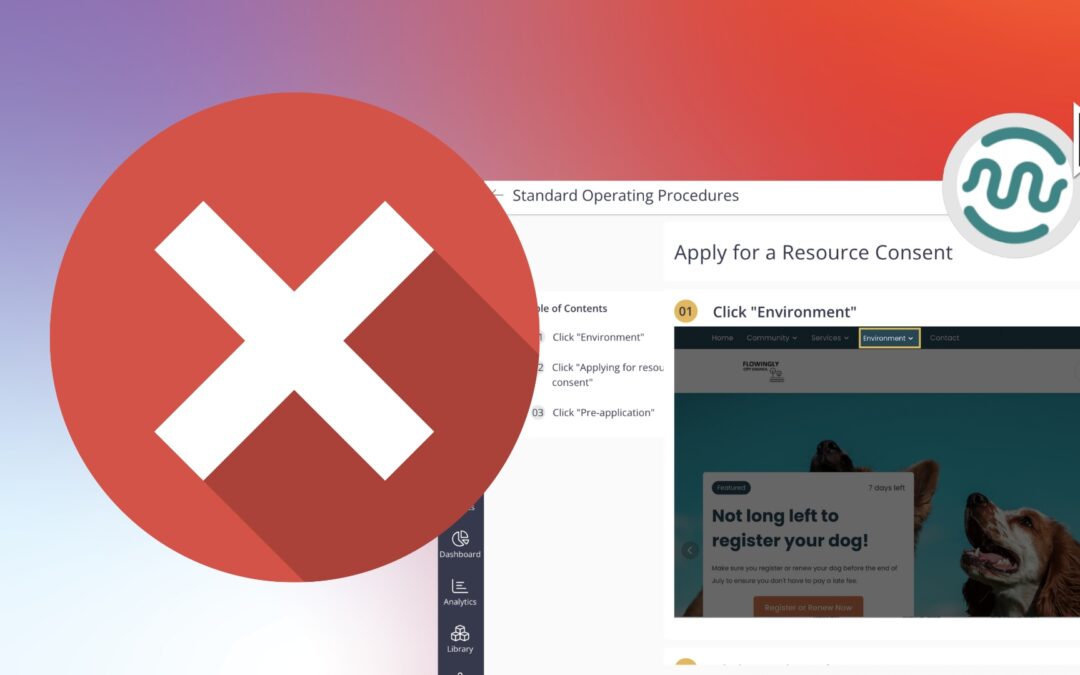
Flowingly AI SOP Recorder Has Arrived

Flowingly AI SOP Recorder Has Arrived

Flowingly AI SOP Recorder Has Arrived

Introducing the AI SOP recorder

We’re excited to announce the launch of the Flowingly AI SOP Recorder – the fastest, simplest way to capture and share your organisation’s critical procedures.

Instead of spending hours writing SOPs in Word or cobbling together screenshots, you just hit record. Every click is captured, screenshots are auto-generated, and your procedure is instantly ready to share, embed, or update.

Because let’s face it, no one’s opening that 10-page PDF buried in SharePoint anyway.

The problem it solves

Let’s be honest: manual SOPs are broken.

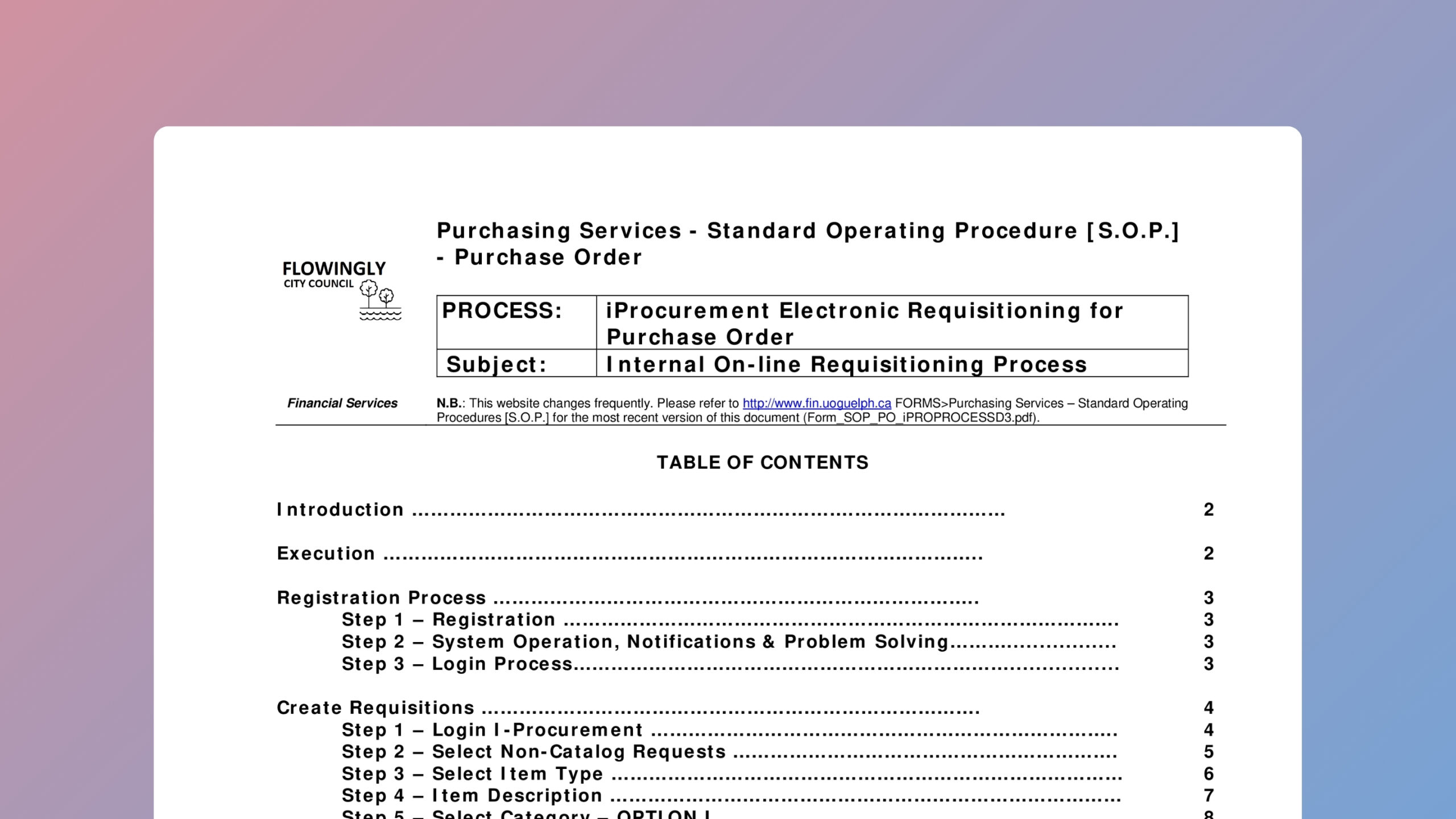
They’re slow to create, impossible to maintain, and rarely trusted. They live in Word docs titled “Final_v2_REVIEWED”, get emailed around like folklore, and vanish when someone goes on leave.

Staff spend hours formatting screenshots, only for the procedure to sit untouched. Updates get pushed to “someday.” And training new hires turns into, “Just shadow Jess—she knows how it works.”

Flowingly’s AI SOP Recorder flips the script.

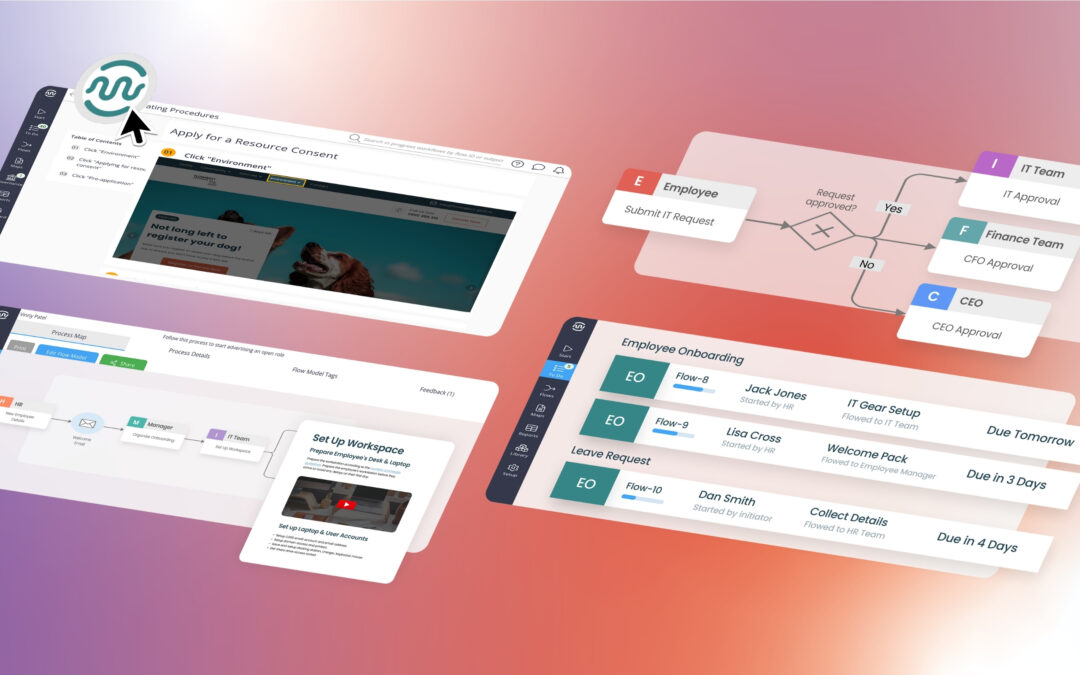
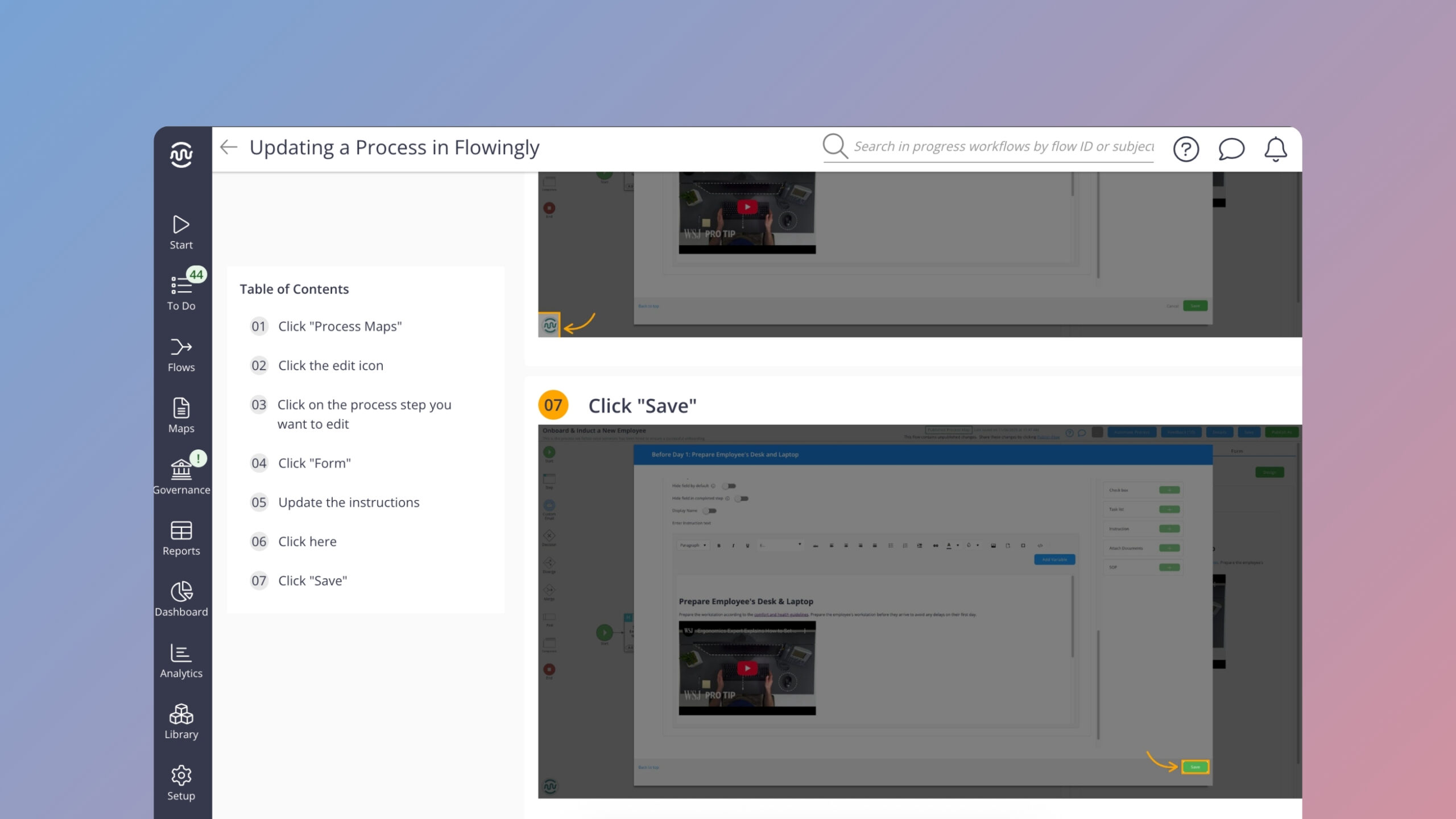
Now, documenting a procedure takes minutes, not hours. Staff get clean, visual step-by-step guidance instead of walls of text. And SOPs actually live where they’re used — embedded inside the process.

How it works

Here’s how simple it is to capture a procedure:

  • Open the SOP Recorder in your browser.

  • Hit Record and complete your task as usual.

  • Flowingly captures every click, screen, and step.

  • Hit Stop, and your procedure is ready to edit, share, or embed.

From onboarding to audit prep, every SOP becomes clear, consistent, and easy to follow.

Before

  • SOPs that take 30–60+ minutes to write
  • Inconsistent formatting
  • Old versions get reused and recirculated
  • Training = “read this 10-page Word doc”
  • Updates never get made (because it’s a pain)
  • Manually taking hundreds of screenshots

After

  • One click to record an entire procedure
  • Automatic SOPs - standardised, and centralised
  • Screenshots and steps captured automatically
  • Easy-to-follow instructions for new staff
  • Easy to edit, share, and update
  • Anyone can use it - no training needed

The bigger picture

This isn’t just about saving time. It’s about making sure knowledge stays with your organisation, not just the individual.

Councils across ANZ are battling tool sprawl, staff turnover, and compliance chaos. Procedures are being documented (badly) across Word, SharePoint, OneNote, Visio – or not at all.

Flowingly brings everything into one place.

With the AI SOP Recorder, your team can:

  • Capture how-tos while doing the task

  • Store procedures in a standardised, searchable format

  • Embed guidance directly inside process maps

  • Keep things updated, even after staff move on

You’re not just documenting. You’re de-risking.

Ready to see it in action?

The SOP Recorder is available now.

Whether you’re onboarding new staff, preparing for an audit, or capturing critical how-tos before your SME leaves, now’s the time to act.

Start capturing before your knowledge walks out the door.

👉 Book a demo

Why Your Team Hates Writing Procedures – and What to Do About It

Why Your Team Hates Writing Procedures – and What to Do About It

Why Your Team Hates Writing Procedures – and What to Do About It

You’ve got 1,000 documented procedures.

And yet… only 20 of them actually get used.

Sound familiar?

In council after council, we’re seeing the same story: mountains of procedures, barely any adoption. Teams revert to OneNote. Or they drag screenshots into Word docs. Or worse—they wing it.

And that’s not just annoying. It’s costly.

The true cost of manual procedures

Standard Operating Procedures (SOPs) are supposed to be the foundation for consistency, compliance, and handover. But in practice?

They’ve become a hidden time sink and a blocker to real process improvement.

Let’s break down where the money and momentum really vanish:

1. Manual SOPs = wasted hours

Creating a standard procedure is supposed to save time. But ironically, building one the old-school way can chew up your entire afternoon.

Ask any business analyst or systems lead and they’ll tell you:

  • Capturing steps manually takes forever.

  • Formatting screenshots and instructions is a pain.

  • You finally finish… and they tell you the procedure just changed.

Multiply that across every department, and you’re talking hundreds of hours a year spent just documenting. Not improving – just documenting.

2. Tool sprawl and shadow IT

Word. SharePoint. Visio. Promapp. OneNote. Excel. A rogue Learning Management System.

Different teams often use different tools – if they’re documenting at all.

This leads to “shadow SOPs”: procedures stored on desktops, in inboxes, or printed out and stuck to someone’s monitor. There’s no single source of truth. No way to know what’s current. And definitely no audit trail.

When your documentation system is more of a suggestion than a standard, compliance starts to wobble.

3. Outdated = out of sight, out of mind

Many councils have hundreds of documented procedures. But most are out of date, ignored, or duplicated elsewhere.

Why?

Because there’s no easy way to review, update, or even find the right one. The UX is clunky. The formatting’s inconsistent. And no one wants to touch a Word doc called “Final_v3_UPDATED_REVIEWED_2022.docx.”

So people work around the system – because the system doesn’t work for them.

4. Turnover wipes the slate

Every time someone leaves, they take their procedure knowledge with them. Even if you managed to document it, it’s probably buried in a system that new staff aren’t trained on (or don’t even know exists).

The result? People rebuild from scratch. Or guess. Or email “who owns this?” into the void.

The cycle continues.

5. Executive buy-in fizzles fast

Even with the best intentions, many SOP initiatives become “set and forget.” Initial training fades, champions leave, and the platform turns into a ghost town.

Without leadership pushing adoption and ownership, procedures become yet another system nobody logs into.

And if a procedure isn’t used, it isn’t trusted. And if it isn’t trusted – it’s worthless.

Let’s be honest: SOPs aren’t the problem. The manual effort is.

The problem isn’t that people don’t want documented procedures. They do. Teams want clarity. New hires want guidance. Managers want consistency.

What they don’t want is:

  • Spending hours formatting a doc.

  • Chasing SMEs to approve steps.

  • Clicking through a clunky interface to update one word.

We don’t have a documentation problem. We have a manual SOP problem.

Enter: Flowingly AI SOP Recorder

Flowingly’s AI SOP Recorder flips the whole thing on its head.

Instead of building a procedure after the fact, you capture it as it happens.

Here’s how it works:

  1. Press record.
  2. Complete your task as normal.
  3. Flowingly captures every step – clicks, entries, screenshots.
  4. AI turns that into a structured, editable procedure.
  5. You hit publish.

That’s it. Done in minutes, not hours.

No interviews. No snipping tools. No formatting hell.

But that’s just the start

Flowingly doesn’t stop at procedure capture. Because what councils actually need isn’t just a faster way to document.

They need:

✅ Governance: Version control, audit trails, redaction, approvals.
🔒 Security: Built for compliance-heavy, audit-sensitive teams.
🔁 Scalability: SOPs that link directly to process maps and real-time workflows.
🤝 Usability: Procedures anyone can follow, update, and share – no logins required.

This is where the AI SOP Recorder shines.

It’s not a flashy Chrome extension made for startups.

It’s council-ready, compliance-backed, and embedded into a broader process improvement platform. That’s why teams are saying this is the first SOP tool IT actually approves.


Why this matters to councils right now

Local government teams across ANZ are in the thick of it:

📉 Budget cuts, but rising service expectations.
🔄 Frequent staff turnover.
🧩 Fragmented systems and legacy tech.
📃 Mounting audit and privacy obligations.

You don’t have time for manual doc wrangling. And you definitely don’t have time for tools that get rolled out… then rot.

You need something faster, smarter, and genuinely scalable.

What you’re really saving

Manual SOPs

Flowingly AI SOP Recorder

Time Per SOP

2–5 hours 2–5 minutes

Formats

Word, PDF, screenshots Standardised, auto-generated

Visibility

Buried or outdated

Centralised & searchable

Sharing

PDF export or nothing One-click sharing, no login

Governance

Manual version control Built-in approvals & audit

Now imagine doing that across 100 procedures. Or 500. Or 1,000.

That’s where the ROI shows up – fast.

💬 Final word

We know you’ve probably heard enough about “transforming digitally” or “streamlining standardisation.”

We’re not here to do all that really. We’re here to help your team stop wasting time on outdated, manual tasks, so you can get back to serving your community.

Whether it’s onboarding, rates rebates, internal approvals or field services – if it’s repeatable, it’s worth documenting.

With Flowingly AI SOP Recorder, it’s finally easy to do.

Get a demo of the AI SOP Recorder >

The Process Isn’t Broken – It Was Never Built Properly

The Process Isn’t Broken – It Was Never Built Properly

The Process Isn’t Broken – It Was Never Built Properly

Some processes don’t break – they just slowly disintegrate.

They start as a quick fix. A form emailed around. A spreadsheet someone made “just for now.” A few manual steps thrown in to help things move faster. No one expects these temporary solutions to last forever, but somehow they do.

Over time, those quick fixes harden into business-as-usual. Before you know it, that same spreadsheet is now a crucial system. That email chain has become an approval workflow. And the process is no longer functional, it’s just habitual.

This is especially common in local government. With stretched resources and constant policy changes, teams are often forced to improvise. A new form gets added to meet a one-off reporting requirement. A manual step is introduced to catch a system quirk. None of these decisions are wrong, they’re just reactive.

But when these workarounds pile up, they don’t just clutter your workflows. They become the workflow. And that’s when the real trouble starts.

When bad becomes normal

The result? Teams stuck in a process that no one really understands, but everyone follows because “that’s how we do it.”

These processes are often slow, confusing, and frustrating – not because someone broke them, but because they were never properly built in the first place.

Across councils in New Zealand and Australia, this is more common than you might think. It’s not a sign of failure — it’s just the reality of how many workflows evolve. And the good news? If something was never properly built, you can rebuild it. But first, you have to recognise the signs.

What “built on the fly” really looks like

It usually starts when there’s no clear owner. The original process designer might have moved on, and now everyone’s just guessing. Three different teams might each have their own version of how it’s supposed to work. Or the process is so heavily dependent on one legacy system that no one dares to update it. Add to that a reliance on email threads, attachments, and the knowledge in people’s heads, and the risk grows.

Here’s what this might look like:

  • No one can find the current version of the process map

  • A step that used to be manual still is – even though it’s no longer necessary

  • Teams are relying on reminders in inboxes instead of automated routing

  • There’s a whole spreadsheet tracking the workflow, but no visibility across teams

  • The person who actually runs the process wasn’t consulted when it was built

Why it happens more often than you think

In public sector teams, the pressure to move quickly is constant. Regulations shift. Funding deadlines loom. A team needs a process now, not in six months. So we build what we can with what we’ve got. That usually means a form here, a spreadsheet there, a few email instructions, and a lot of goodwill.

Technology plays a role too. Many councils are still working with legacy systems that weren’t built for today’s needs. When those systems can’t adapt, people fill the gaps manually. That works – until it doesn’t.

Another reason this happens is that process ownership is often unclear. If no one is responsible for the end-to-end workflow, then there’s no one to raise the red flag when things get messy. Everyone owns a little piece, and no one owns the big picture.

The hidden costs

These Frankenstein workflows can run under the radar for years – until something breaks. And when it does, the cost is real.

  • Productivity drops: Staff spend more time managing the process than doing the actual work

  • Errors increase: Duplicate data entry and manual handovers make mistakes more likely

  • Morale dips: Clunky workflows suggest that inefficiency is just part of the job

  • Compliance risks rise: It’s hard to meet standards when no one knows what the process actually is

So, how do you fix something that was never properly built?

Start by stepping back. Don’t just fix the symptom – interrogate the structure. What is this process actually trying to achieve? Who needs to be involved? What happens when something goes wrong?

Redesign the process from the outcome backward. Think about what success looks like and work in reverse. Strip out the fluff. If a step doesn’t serve a clear purpose, it goes.

Crucially, involve the people who use the process daily. They’ll know where the friction lives, what workarounds have emerged, and which steps exist purely because “they always have.”

Then choose tools that can evolve with you. You don’t need a massive transformation program – just a platform that makes it easy to build, test, and adapt workflows as things change. Look for no-code tools that empower frontline staff to own and improve their own processes.

And finally, assign clear ownership. Every process should have someone responsible for its health. Not just to maintain it, but to continuously ask: Is this still working? Can it be better?

TL;DR

If your team keeps saying “this process is broken,” maybe they’re right. But maybe it was never really built properly to begin with.

That’s not a failure, it’s an opportunity.

Because once you know what’s not working, you can finally build the process your team actually needs.

And when that happens, everything flows better – for your staff, your systems, and your community.

Are We Overengineering Our Processes?

Are We Overengineering Our Processes?

Are We Overengineering Our Processes?

There’s a quiet crisis brewing in council offices across Australia and New Zealand.

No, it’s not another spreadsheet shared without edit permissions (though that’s up there).

It’s something sneakier: overengineering. Yep, we said it.

The well-meaning drive to fix a workflow often turns into something… monstrous. What started as a simple three-step process suddenly has 27 actions, four approval layers, two integrations, and a flowchart that looks like spaghetti.

And the kicker? It’s still not working.

How did we get here?

Blame good intentions.

  • Someone wanted to add an extra sign-off “to be safe.”

  • Another wanted to integrate with a tool they used once.

  • Someone else built it in a low-code platform with more branches than a gum tree.

Now the process takes three times as long, staff hate using it, and IT spends half their week maintaining it.

This isn’t improvement. It’s process bloat.

The symptoms of an overengineered process

Wondering if your workflow’s gone off the deep end? Here’s what to watch for:

  • Nobody knows how it works. Even the person who built it has a flowchart printed on their wall.

  • It breaks all the time. Dependencies fail, logic clashes, and even small changes cause chaos.

  • New staff avoid it. Or worse, they create their own workaround in a separate spreadsheet.

  • You dread updating it. Because every change triggers a chain reaction of fixes.

Sound familiar?

Why simpler is smarter

Let’s say it loud for the people in the back: simple processes get used.

If your goal is faster service delivery, better compliance, and less admin pain, simplicity isn’t just nice to have – it’s essential.

Simple doesn’t mean basic. It means clear, user-friendly, and flexible.

Flowingly customers consistently find that:

  • Their most effective workflows have fewer than 10 steps.
  • Automation works best when it reduces choices, not adds them.
  • The best forms don’t ask for 18 fields of data “just in case.”

Building lean, not complex

Here’s how to stop overengineering before it starts:

Start with the outcome

What’s the goal? If it’s “make onboarding faster” focus on that.

Involve the people who use it

Don’t build in a vacuum. Talk to the people doing the work.

Cut steps without guilt

If a step doesn’t serve a purpose, it goes.

Test it with a new hire

If they can follow it without asking questions, you’re winning.

Why this matters in local government

Councils aren’t short on challenges: tight budgets, high compliance standards, and not enough hours in the day.

Overengineering eats into all three.

We’ve seen councils:

  • Spend months building a process no one uses

  • Lose institutional knowledge when the builder leaves

  • Miss out on actual improvements because the workflow became untouchable

Meanwhile, other teams are rolling out mapped and automated processes in weeks—because they kept it lean.

The Flowingly approach – simple by design

With Flowingly, you don’t need to be a developer to build something great. But we also don’t let you go overboard:

  • Visual mapping keeps you honest. If it looks confusing, it is.

  • Templates help you start small. Not every process needs 15 conditions.

  • Audit trails and SOP panels keep things clean. No need for extra layers just to meet compliance.

We’re here for clear, efficient, human-first workflows.

TL;DR: Stop adding. Start simplifying.

Next time you look at a process and think, “You know what would make this better? Another step,” ask yourself:

Is this making the process better for the people using it? Or just more complicated?

Less is often more. And better.

How to Spot a Broken Process in Under 5 Minutes

How to Spot a Broken Process in Under 5 Minutes

How to Spot a Broken Process in Under 5 Minutes

Let’s be real for a moment: every council team has that process.

You know the one. It starts as an email, gets tracked in a spreadsheet, involves a few hallway conversations, and somehow still manages to get missed. Deadlines fly by, fingers point, and the process limps forward until someone quietly mutters, “There has to be a better way.”

Good news: there is. But before you can fix a broken process, you need to spot one. And the best part? You don’t need to run a workshop, gather metrics, or even open a spreadsheet (phew).

All it takes is five minutes, a few honest questions, and maybe? a strong cup of coffee.

1. Does anyone actually own the process?

If the answer is “kind of,” “depends who’s in the office,” or “I think it’s Karen’s? – that’s your first red flag.

Processes without clear ownership are like council bins without labels: everyone assumes someone else is handling it. That’s how things slip through the cracks.

Clear ownership means accountability. If you don’t know who owns it, chances are… no one really does.

Broken process signal 🚨

No one knows who’s meant to start, finish, or approve the work.

2. Are you still relying on spreadsheets and email chains to run it?

If a process is being tracked across a spreadsheet, your inbox, and a post-it note on your monitor – it’s not a process. It’s a scavenger hunt.

Email-based workflows and manual trackers might feel manageable, but they’re prone to errors, delays, and missed steps. And don’t get us started on version control. Was it “FINAL_final_updated_v3.xlsx” or “Copy of final_v2”?

Broken process signal 🚨

If one person’s away, no one else knows where the process is at.

3. Can a new staff member follow it without asking five people?

Tribal knowledge might work for Friday lunch spots, but not for workflows. If the only way to understand a process is to shadow Sandra for three weeks, it’s time to rethink it.

Well-mapped, clearly documented processes should be self-explanatory. Think step-by-step, with clear actions, ownership, and guidance – even for someone who just walked in the door.

Broken process signal 🚨

New staff are constantly asking “How do we usually do this?”

4. Does everything grind to a halt when someone’s on leave?

If a single person going on leave means everything stalls, your process is built on shaky ground.

You shouldn’t need a backup spreadsheet, six Teams messages, and three calendar reminders to reassign a task. Leave-resilient processes are flexible and can be picked up by others with minimal fuss.

Broken process signal 🚨

Staff spend more time covering gaps than doing their own work.

5. Could you audit this process tomorrow?

We’re not trying to give you heart palpitations. But if an audit came through next week, would you be ready?

A healthy process should leave a clean, trackable trail. You should know who did what, when, and why – without having to dig through old emails or cobble together a timeline.

Broken process signal 🚨

Audit prep turns into a week-long panic attack.

So… what’s actually causing all these breakdowns?

Nine times out of ten, it’s not your people. It’s the lack of structure. Manual handoffs, inconsistent workflows, no system of record – these are the usual suspects.

Other common culprits:

  • One-size-fits-none software
  • Complicated tech stacks no one wants to touch
  • Processes built on “how we’ve always done it”

The fix? Bring structure, visibility, and simplicity back into the way your team works.

Fixing it doesn’t have to be hard

This isn’t about launching a massive digital transformation project. It’s about taking one clunky, frustrating process – and making it better. Then doing it again.

With Flowingly, councils are:

  • Mapping broken processes in minutes (without needing to book a BA)
  • Automating tasks and approvals to reduce email ping-pong
  • Creating audit trails and clear ownership paths
  • Empowering non-technical teams to fix their own workflows

We’ve seen teams cut process times by 75%, go paperless, and reduce audit stress – all by fixing processes one at a time.

And the best part? No developers, no code, no “we’ll get to that next year.”

Real talk – your process might be broken (and that’s OK)

Spotting a broken process isn’t an admission of failure. It’s step one toward building something better. Something your team actually wants to use. Something that works.

So go ahead – take five minutes today and run the test.

Ask your team:

  • Who owns this process?
  • Where does it live?
  • Could someone new run it tomorrow?
  • What happens if you’re away?
  • Could we audit it next week?

If you’re getting nervous laughter or vague shrugs, congrats—you’ve found your first fix.

Ready to turn chaos into clarity? Let’s chat.